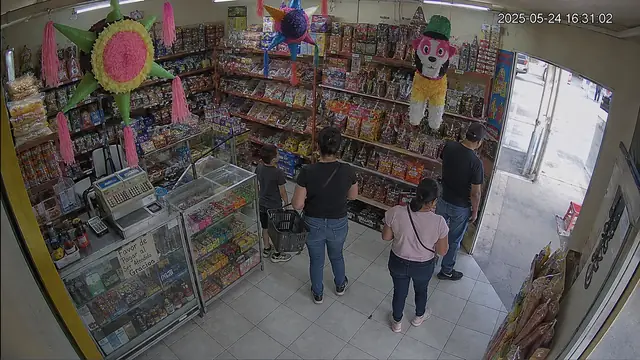
You do not know how many people actually walk in.
You count receipts, not people. The gap between the two is everyone who entered and left without buying.
We connect the cameras you already have. Vision Ops tells you how many people came in, how long they waited in line, and when a sale walked out the door.
No new cameras. No facial recognition. No watching an hour of footage.
Your business generates hours of video. Today, it is useful when something goes wrong — and for little else.
You count receipts, not people. The gap between the two is everyone who entered and left without buying.
You find out when someone complains. By then, everyone who did not complain has already left.
Or when it happened, or how often it happens each month.
A connector is installed on your network in a few minutes and reads video from your DVR. No open ports, no new cameras.
Spatial intelligence · demo data
Vision Ops reconstructs anonymous paths and turns your floor into zones you can compare.
↗Higher dwell time detected
Vision Ops reads its own measurements and tells you what it found: the sentence with the action it suggests, the video evidence, the audit trail, and you can ask it in your own words.
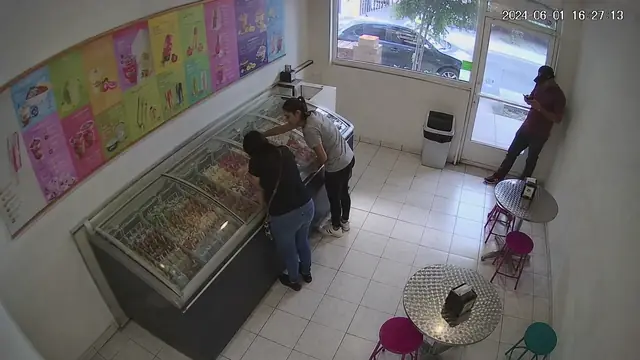
“A sale walked out at 6:12 pm: one person waited 41 seconds in line and left. At this volume, you need another person at the counter during that period.”A real finding from a Saturday at an ice cream shop.
They waited 41 seconds and left before reaching the counter.
✓49 arithmetic checks, all reconciled
Case 1 of 5
Measures Footfall · Queue · Zones
Know when to reinforce the counter and where a promotion belongs on the floor.
Measures Queue · Abandonment · Coverage
See how many sales are lost to waiting and when it happens.
Measures Dwell time · Cold zones
Find the corner nobody visits — and decide what should move there.
Measures Occupancy · Turnover
Measure how long a table stays occupied and when the room is truly full.
Measures Presence · Restricted zones
Confirm that risk areas remain clear and where supervision needs reinforcement.
Start with one camera and grow when you need to. Every plan includes the complete analysis; the per-camera price improves as you scale. Prices exclude VAT.
1 camera
$1,990 per month
One critical point: entrance, checkout, queue, or counter.
2 to 4 cameras
Most commonFrom $3,490 per month
Entrance, queue, counter, and one more zone. The most common setup.
5 or more
From $6,980 per month
+$990 per additional camera. 10+ or multiple locations: volume pricing.
Prefer to try it first? The pilot is $2,900 + VAT: 14 days, up to 2 cameras, setup included, and a final report. Initial setup is $1,500 + VAT per location.
It is the first question any business owner asks, and we answer it plainly.
Vision Ops detects silhouettes and follows them while they are in frame. It does not extract facial features, compare them against any database, or know who anyone is.
It is transmitted encrypted to our cloud, analyzed, and the original is deleted automatically after 30 days. You can delete it sooner from the platform.
The moment behind each finding —a long queue, an abandonment— is kept as evidence. It is deleted with the rest of the video.
Roles are assigned per person, with a record of who opened what and when — including when we access it to support you.
It is installed on your network, reads only the video you authorize, and you can remove it whenever you want.
No faces at any point in the journey